
VMS buyer's guide

How to choose a VMS

To choose a VMS, compare vendors on eight things: camera compatibility, data location and security, scalability, ease of use, recording and reliability, analytics, total cost of ownership and who takes part in the decision. Below is what to ask about each, how to score vendors and what to test in a demo.

BEFORE YOU COMPARE

Why the choice matters more than the price

A video management system sits between every camera you own and every person who needs to see what they record. You will run it for years, connect it to other systems and train every shift on it. Switching later can mean migrating footage, retraining staff and replacing hardware. That is why the questions below go past feature lists. Ask them of every vendor, including us.
01

Camera compatibility

02

Data location and security

03

Scalability

04

Usability

05

Recording and reliability

06

Analytics

07

Total cost of ownership

08

Stakeholders

THE 8 CRITERIA

What to check in every VMS

01

Does the VMS work with the cameras you already have?

An open VMS supports cameras from many manufacturers and open standards such as ONVIF. A closed one ties you to one hardware brand, so every future camera purchase is decided by your software vendor.

‍

Ask the vendor:

  • Which camera brands and models are supported natively?
  • Which ONVIF profiles do you support?
  • Can we connect access control, intrusion and fire systems?

‍

Red flag: the demo only uses the vendor's own cameras, or "ONVIF support" is the only answer you get. Verify your exact camera models and firmware versions.

‍

Mirasys supports 8,000+ camera models, including Axis, Bosch, Dahua, Hanwha, Hikvision and Pelco, and ONVIF Profiles G, S, T and M. See integrations →

02

Where is your footage, and how is it protected?

Video of people is personal data. Where it is stored, which country's laws give access to it and who inside your organisation can see it matter for GDPR, and in many sectors they are a procurement requirement.

‍

Ask the vendor:

  • Where is the footage and metadata stored, and can any foreign authority demand access to it? A provider under US jurisdiction can be ordered to hand over data under the CLOUD Act, even when the servers are in Europe.
  • Is the video encrypted end to end?
  • Do you support role-based access, two-factor authentication and audit logs?
  • How are security updates and remote access handled?

‍

Red flag: the answer to "where is our data" is a cloud region you cannot choose, or there is no log of who viewed or exported footage.

‍

With Mirasys, footage stays under European jurisdiction. Access control includes two-factor authentication, and full audit trails show who did what. Security & compliance →

03

Will it still work when you add sites and cameras?

A VMS that is fine for one building can become hard to manage across ten. Check that many servers and sites run as one system, with one set of users and rules.

‍

Ask the vendor:

  • How many servers and cameras can one system manage?
  • Can we add a site without rebuilding the setup?
  • Which of your customers run large multi-site systems?

‍

Red flag: each new site needs its own separate installation and login.

‍

Mirasys runs unlimited servers and cameras in one domain. It is deployed across every prison in Finland (RISE) and in Phuket City.

04

Can every shift use it, not just one expert?

The most experienced operator is not always on duty. The interface has to be clear enough that other staff can find footage and react with little training.

‍

Ask the vendor:

  • How long does it take to train a new operator?
  • Can we test the client ourselves before buying?
  • What training do you offer for our staff?

‍

Red flag: the vendor's own engineer has to drive the whole demo.

‍

In Mirasys, operators work in Spotter, the interface for live view, search, alarms and playback. About Spotter →

05

How is video recorded, and what happens when a server fails?

Cameras keep recording only if the system around them does. Check how the VMS records and stores video, and how it behaves when hardware or the network breaks, not only when everything works.

‍

Ask the vendor:

  • What resolution, frame rate and retention period can we run with our storage?
  • Do you support failover and redundant recording?
  • Does recording and live view continue if a server or the network goes down?
  • How does the system warn us about failing disks, servers or cameras?

‍

Red flag: failover is "on the roadmap" or costs extra per camera.

‍

Viking Line has used Mirasys for more than 10 years.

06

Does the AI find what matters without false alarms?

Analytics are only useful if operators trust them. Too many false alarms and people start ignoring alerts. The real test is how fast an investigator finds a past event.

‍

Ask the vendor:

  • How do you keep false alarms down?
  • Can we search recorded video by person, vehicle or plate?
  • Does the analytics run inside the VMS or in a separate product?

‍

Red flag: analytics need a separate system with its own interface.

‍

Mirasys AI runs inside the VMS: license plate recognition, facial recognition and object recognition.

07

What will it cost over five years, not just at purchase?

License price is only part of the cost. Storage, yearly fees, required hardware and the work needed to add cameras add up over the system's life.

‍

Ask the vendor:

  • What is included in the license, and what is billed yearly?
  • How efficiently is video stored?
  • Can we run it on our existing servers?

‍

Mirasys runs as software on your own infrastructure, as a ready-to-go appliance or as a hybrid. Try it free for 90 days. Get the trial →

08

Who else should be in the room when you decide?

A VMS touches IT, operations, maintenance, safety and the people who watch the screens every day. When they join late, requirements change after the contract is signed.

‍

Ask yourselves:

  • Have IT, operations and daily users seen the demo?
  • Who owns privacy and data protection decisions?
  • Do employees or their representatives need to be consulted?

‍

In many European countries this is also a legal step. In Finland, for example, camera surveillance of a workplace is handled through the co-operation procedure with staff, and in Germany the works council has a say in technical monitoring of employees. Check the rules in your country and leave time for them in the schedule.

‍

Red flag: the decision is made by one team and handed to the rest.

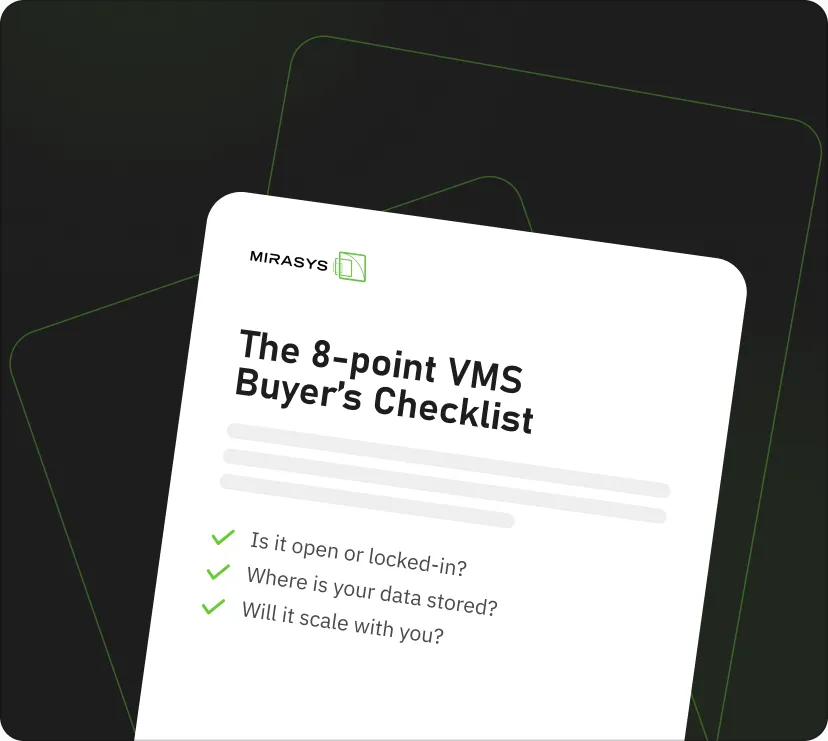
FREE - NO SALES CALL REQUIRED

Choosing a VMS? Don't do it blind.

Get the Free 8-point VMS Buyer's Checklist. The questions worth asking before you commit to any platform, including ours.

Thank you! Your submission has been received!
Oops! Something went wrong while submitting the form.
Privacy Policy

ALREADY HAVE A VMS?

How to switch without losing recording

Many buyers already have a system in place. The risk in changing is switching the old system off before the new one is proven.

Mirasys offers hybrid and migration setups for moving from an existing system.

List what you have

Every camera with model and firmware, every integration, and how long footage must be kept.

Confirm compatibility

Ask the new vendor to confirm each camera model before you sign.

Run both systems side by side

Start with one site or one camera group while the old system keeps recording.

Move site by site

Train operators on each site as it moves, not all at once at the end.

Keep old footage readable

Plan how recordings made in the old system can be viewed until their retention period ends.

SIZE OF THE SYSTEM

Which type of VMS fits your site?

The number of cameras and sites decides how much VMS you need. Buying too little means replacing it as you grow. Buying too much means paying for complexity nobody uses.

SiteTypical setupFits best when
Small site

Recorder (NVR) or the camera maker's own software

One building, one camera brand, simplicity matters most

Medium or large site

Open-platform VMS

Cameras from several brands, growth ahead, integrations with access control or alarms

Multi-site and critical infrastructure

Open-platform VMS with central management, failover and analytics

Many sites, control rooms, strict data and uptime requirements

KohdeTyypillinen ratkaisuSopii parhaiten, kun
Pieni kohde

Tallennin (NVR) tai kameravalmistajan oma ohjelmisto

Yksi rakennus, yksi kameramerkki, yksinkertaisuus ratkaisee

Keskikokoinen tai suuri kohde

Avoin VMS-alusta

Usean merkin kameroita, kasvua edessä, integraatioita kulunvalvontaan tai hälytyksiin

Monta kohdetta ja kriittinen infrastruktuuri

Avoin VMS-alusta, jossa keskitetty hallinta, failover ja analytiikka

Monta kohdetta, valvomoita, tiukat data- ja käytettävyysvaatimukset

StandortTypische LösungPasst am besten, wenn
Kleiner Standort

Rekorder (NVR) oder die Software des Kameraherstellers

Ein Gebäude, eine Kameramarke, Einfachheit zählt am meisten

Mittlerer oder großer Standort

Offenes VMS

Kameras mehrerer Marken, Wachstum geplant, Integration von Zutrittskontrolle oder Alarmanlagen

Mehrere Standorte und kritische Infrastruktur

Offenes VMS mit zentraler Verwaltung, Failover und Analytik

Viele Standorte, Leitstellen, strenge Daten- und Verfügbarkeitsanforderungen

DEPLOYMENT

On-premises, cloud or hybrid?

The right setup depends on where your footage must stay and how much you rely on the internet connection.

OptionWhere the footage isDepends on internetFits best when
On-premises

Your own servers

No

Recording continues offline

Data must stay on site, or many cameras record at high quality

Cloud

The provider's data centre

Yes

Sites that want as little local hardware as possible

Hybrid

Locally, with selected access or backup elsewhere

Partly

Several sites, or moving from an old system step by step

VaihtoehtoMissä tallenteet ovatRiippuu internetistäSopii parhaiten, kun
Omat palvelimet

Omilla palvelimillasi

Ei

Tallennus jatkuu ilman yhteyttä

Datan on pysyttävä kohteessa, tai monta kameraa tallentaa korkealla laadulla

Pilvi

Palveluntarjoajan konesalissa

Kyllä

Kohteet, joissa halutaan mahdollisimman vähän paikallisia laitteita

Hybridi

Paikallisesti, osa pääsystä tai varmuuskopioista muualla

Osittain

Monta kohdetta tai siirtyminen vanhasta järjestelmästä vaihe kerrallaan

OptionWo die Aufnahmen liegenInternetabhängigPasst am besten, wenn
On-Premises

Ihre eigenen Server

Nein

Aufzeichnung läuft offline weiter

Daten müssen vor Ort bleiben, oder viele Kameras zeichnen in hoher Qualität auf

Cloud

Rechenzentrum des Anbieters

Ja

Standorte, die möglichst wenig lokale Hardware wollen

Hybrid

Lokal, mit ausgewähltem Zugriff oder Backup an anderer Stelle

Teilweise

Mehrere Standorte oder schrittweiser Umstieg von einem alten System

IN THE DEMO

How to compare vendors side by side

Give each vendor a score from 1 to 5 on every criterion during the demo and add them up. The highest total is your strongest candidate.

CriterionVendor AVendor BVendor C
01Camera compatibility
02Data location and security
03Scalability
04Ease of use
05Recording and reliability
06Analytics
07Total cost of ownership
Total/ 35/ 35/ 35
KriteeriToimittaja AToimittaja BToimittaja C
01Kamerayhteensopivuus
02Datan sijainti ja tietoturva
03Skaalautuvuus
04Helppokäyttöisyys
05Tallennus ja luotettavuus
06Analytiikka
07Kokonaiskustannukset
Yhteensä/ 35/ 35/ 35
KriteriumAnbieter AAnbieter BAnbieter C
01Kamerakompatibilität
02Datenstandort und Sicherheit
03Skalierbarkeit
04Bedienbarkeit
05Aufzeichnung und Ausfallsicherheit
06Analytik
07Gesamtbetriebskosten
Gesamt/ 35/ 35/ 35

TEST BEFORE YOU BUY

Five things to see working in the demo

Ask every shortlisted vendor to show these with your own camera models, not a prepared showroom setup.

01

Find a specific incident in recorded footage, timed.

02

Export video with correct timestamps and a record of who exported it.

03

Keep recording when a server or the network is cut.

04

Show how user rights, remote access and security updates are managed.

05

Run the analytics you need on your own cameras and site conditions.

FAQ

Questions buyers ask

EXPLORE THE PLATFORM

See how Mirasys answers the 8 questions

Open video management, AI analytics and security in one platform.

Mirasys VMS

Open, scalable video management made in Finland.

Explore the VMS →

AI & Analytics

License plate, face and object recognition inside the VMS.

Explore AI & Analytics →

Security & compliance

GDPR aligned and encrypted end to end.

Read about security →

Contact us

Interested to see how Mirasys would fit your operation?

Book a demo and we'll show you exactly how Mirasys fits your sites, your stack and your team.

No jargon

No commitment